
TCL TVs can be connected with universal remotes. If you have multiple devices in your home, you can connect all of them with a single universal remote, so you don’t have to worry about managing several of them. However, to pair it, you need the correct TCL remote codes.
TCL universal remote codes list
Here are the universal remote codes for TCL Roku TV and other models.

| Brand | Codes |
| Comcast | 1756 10037, 10047, 10625, 12291, 12292, 12293, 12434, 14398, 10706, 10842, 10885, 11454, 11756, 11953, 12049, 12253, 12290 |
| Dish | 165, 333, 334, 387, 503, 650, 651, 666, 749, 751, 805, 824, 831, 863, 864, 888, 902, 533, 535, 551, 556, 601, 627, 645, 522, 523 0178, 0706, 0885, 1756, 2049, 2434, 3183, 4398 |
| DirectTV | 10178, 10706, , 12429, 12434, 10818, 10885, 11756, 12049, 12293, 12360, 12403, 12414 |
| GE | 020, 081, 135 0020, 0091, 0135, 1171, 1181, 1421, 1691, 1741, 1851, 4921, 5139, 5165, 5771, 5961, 6031, 6171, 6201, 6651, 2011, 2061, 2111, 2301, 2851, 2891, 3421, 3431, 3571 |
| One for All | 0412, 0587, 0625, 0698, 0706, 0806, 0826, 0885, 0898, 2530, 2675, 2714, 2715, 2958, 3047, 3183, 3327, 3426, 1588, 1617, 1756, 1916, 2049, 2403, 2414, 2429, 2434, 0412, 0587, 0625, 0698, 0706, 0806, 0826, 0885, 0898, 4398 12183, 12434, 10047, 10885, 11756, 12049 |
| Philips | 0091, 0115, 0709, 0733, 1421, 1564, 1691, 1718, 1741, 3571, 4921, 5771, 5961, 6031, 6171, 6201, 6651, 1851, 2011, 2061, 2111, 2301, 2851, 2891, 3421, 3431 12963, 14558, 14849, 14972, 15466, 15564, 16646, 16665, 10369, 11764, 12153, 12251, 12270, 12359, 12457, 12555, 17415, 17646, 17750, 18522, 18924, 19655 |
| RCA | 1756, 2049, 2414, 2429, 2434, 3183, 3426, 3847, 4178, 4398, 0706, 0885, 0898 10047, 10885, 11756, 12049, 12293, 12434, 13183, 14398 |
| Spectrum | 031, 081, 096, 705, 749, 251, 268, 387 0178, 0701, 0706, 1756, 2049, 2183, 0861, 0885, 1098, 1228, 1411, 1423, 2360, 2403, 2434, 2511, 2721, 4201 10178, 10885, 11423, 12434, 13938, 14398, 11447, 11756, 12049, 12183, 12360 |
If you want a complete list of TCL universal remote codes for all cable providers, then check out TCL’s official website.
Step 1 Turn on your TV
Turn on your TCL TV or TCL Roku TV. You can use the manual power button in case you lost the original remote.
Step 2 Initiate the setup process
Press and hold the device (TV) button until a light on the remote turns on.
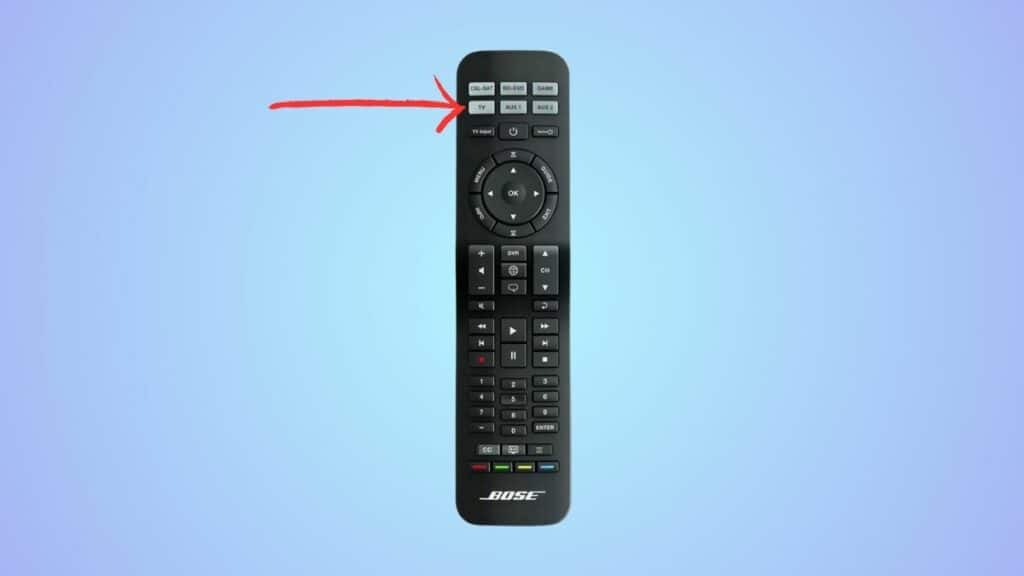
Step 3 Enter the TCL universal remote code
Next, using the numeric buttons, enter one of the codes from the above table.
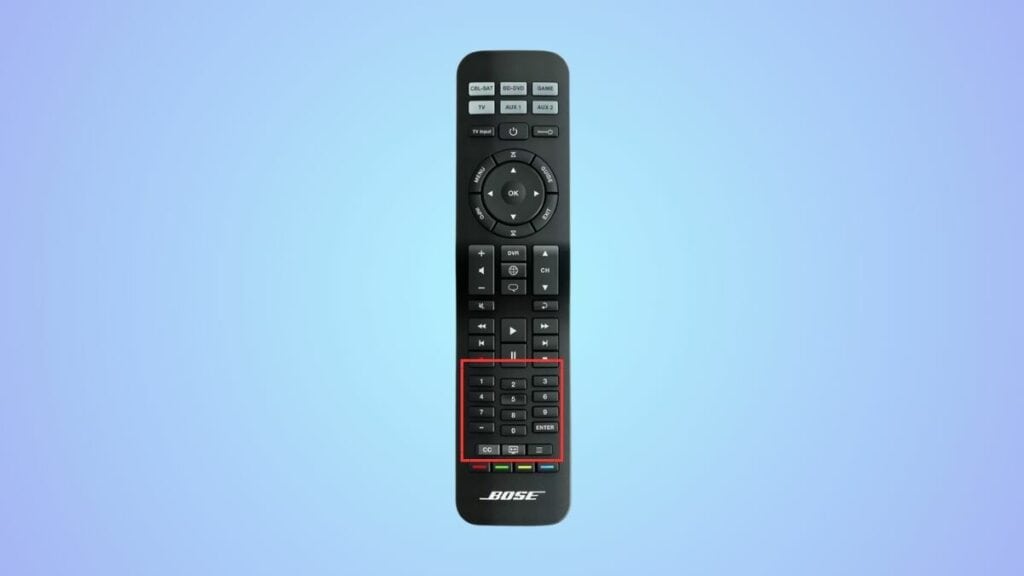
If the code is correct, the light on the remote will blink and turn off, indicating that it has been successfully connected to the TV. Otherwise, it will stay on, and you’ll have to repeat the process but enter a different code this time.
How can I program my universal remote without using a code?
It is possible to connect your remote without using TCL TV remote codes. For this, you need to point your universal remote towards your TV, press the device button on the remote, and then press and hold the power and device buttons. After the power light of the device turns off and then back on, let go of the buttons. If the remote is working, the correct code has been found. If not, repeat the process. However, do note that the auto-programming feature does not always work, and you’ll have to manually add the code in most cases.
