
Now, most universal remotes out there work with Toshiba TVs, so compatibility shouldn’t be an issue. Plus, you can program a universal remote with or without codes- so you can skip the hunt for the right codes. In our guide, we covered how to set up a universal remote for Toshiba TV with and without codes. Plus, we have a list of codes to make the whole setup easier for you.
For this guide, we have used a GE universal remote as an example. Most universal remotes have more or less the same process for setting up, so you can use this guide for reference. For the exact procedure, you will have to use the official user manual that comes with the product.
Toshiba TV remote codes list
We’ve listed 2, 3, 4, and 5-digit Toshiba remote codes as well as remote codes for different brands.

| Brand/Type | Codes |
| 2-digit | 13, 14, 16, 19, 20 |
| 3-digit | 120, 117, 014, 170, 018, 260, 013, 049, 159, 178, 109, 105, 089, 044, 785, 108, 394, 071, 117, 118, 000, 012, 077, 090, 044, 866, 902, 688, 757, 243, 909, 394, 137, 149, 851, 909 |
| 4-digit | 0983, 0260, 0398, 0394, 0924, 1121, 0156, 1191, 0120, 1196, 1343, 1294, 1118, 3675, 0508, 2598, 5137, 0715, 1160, 1667, 0037, 1916, 0009, 1063, 0111, 1340, 0095, 1704, 1265, 0924, 0419, 0613, 1050, 1356, 5035, 5096 |
| 5-digit | 15716, 10149, 11916, 10736, 11524, 11356, 12724, 10856, 11256, 11343, 11936, 15532, 18016, 11325, 11935, 10845, 11210, 19114, 18418, 12305, 11959, 19443, 11265, 11918, 10822, 15355, 10650, 10003, 15412, 10093, 12109, 10060, 10154, 13403, 18206,12615, 10036, 11743, 13504 |
| Dish universal remote codes | 852, 785, 516, 847, 757, 617, 526, 743, 635, 631, 517, 590, 849, 800, 595, 622750, 793, 850, 802, 851, 745, 666, 855865, 019, 680, 866, 057, 610, 683, 908, 854, 611, 688, 615, 766, 744, 126, 562754, 069, 644, 755, 789, 049, 848, 768771, 661, 721, 016, 909, 452, 505, 805, 535, 163, 524, 111, 794, 456, 514, 696795, 832, 717, 000, 500, 888, 784, 6072006, 1256, 1524, 2724, 0650, 0154, 1704, 0156,1656, 3945, 0060, 4885, 19451265, 1935, 1369, 0736, 1635, 13561343, 1325, 1306, 1156, 0845, 0832, 1291 |
| Spectrum universal remote codes | 138, 015, 101, 030, 045, 007, 285, 040, 325, 062, 142, 230, 137, 703, 0011, 0041, 0021, 0101, 2481, 0051, 2351, 0061, 3921, 0081, 0111, 0171, 0191, 0211, 0471, 0291, 0701, 0411, 0501, 0871, 1301, 1041, 1351, 1131, 1441, 1161, 1781, 1951, 2021, 1361, 0341, 2341, 1741, 0861, 3671, 2121, 2801, 2311, 3821, 4151, 2441, 3931, 2501, 2581, 2601, 2611, 3731, 11524, 10156, 10650, 11935, 11670, 12684, 10060, 11959, 11704, 10154, 11369, 11343, 10765, 11480, 11314, 12352, 14730, 12051, 11142 |
| U-verse universal remote codes | 1127, 1179, 1203, 1204, 1222, 1223, 1332, 1340, 1341, 1345, 1353, 1159, 1043, 1058, 1255, 1073, 1006, 1045, 1169, 1012, 1377, 1267, 1079, 1114, 1085, 1154, 1408, 1093, 1473, 1470, 1116, 1509, 1429, 1447, 1444, 1158, 1458, 1462, 1496, 1486, 1175, 1471, 1252, 1510, 1449, 1281, 1282, 1283, 1284, 1286, 1293, 1294, 1313, 1315, 1319, 1338, 11524, 12724, 10156, 11935, 11704, 11959, 10650, 11343, 11369, 10060 |
| GE universal remote codes | 170, 181, 159, 178, 109, 120, 105, 049, 095, 260, 358, 394, 012, 117, 141, 013, 089, 118, 902, 5033, 5102, 5021, 5028, 5030, 5032, 5035, 5036, 5052, 5063, 5096, 5123, 5125, 5127, 5128, 5136, 5137, 5191, 5230, 5239, 5241, 5257, 5275, 5283, 5312, 5318, 5320, 5328, 5422, 5440, 5473, 0394, 0181, 0117, 0012, 0109, 0105, 0141, 0159, 0178, 0120, 0095, 0170, 0049, 0358, 0924, 0260, 0095 |
| Comcast universal remote codes | 0154, 0156, 0060, 0003, 10154, 11524, 11256, 10156, 11935, 10060 ,12684, 10036, 11959, 10650, 11704, 10845, 11343,10149, 10736, 10832, 11369, 11314, 10702, 11156, 11356, 11656, 11265, 12294, 10781, 12286, 10765, 10178, 10003 |
| DirecTV universal remote codes | 11524, 10650, 11656, 10156, 11704, 11156, 10822, 11306, 11256, 10845, 11936, 11265, 12006, 11343, 11635, 10093, 10060, 10154, 11959, 11945, 11935, 12724, 12667, 11918, 11743, 11369, 11356, 11325, 10832, 11524, 10156, 11291 |
| RCA universal remote codes | 1000, 1048, 1049, 1071, 1072, 1073, 1105, 1109, 1117, 1118, 1160,1161, 1162, 1190, 1201, 1207, 1256, 1262, 1282, 1284, 1287, 1290, 1356, 1358, 1374, 1379, 1380, 1438, 1451, 1453, 1455, 1280 |
| Philips universal remote codes | 0313, 0111, 0437, 0715, 0041, 0419, 0719, 0613, 0627, 0111, 0112, 0094, 0618, 0517, 0506, 0512, 0802 |
| Magnavox universal remote codes | 0108, 0053, 0090, 0092, 0132, 0125 |
| Vivitar universal remote codes | 5199, 3031, 3475, 0053 |
| One For All universal remote codes | 1508, 0508, 0195, 0093, 0009, 0035, 0093, 0264, 0412, 0618, 0109, 1457, 1916, 0698, 0037, 1556, 1037, 0714, 0650 |
How to program universal remote to Toshiba TV
Here are some easy steps that you can follow to use the Toshiba universal remote codes to program the universal remote for various devices. Remember, one universal remote can be used with different devices; you just have to program it properly with the right remote code.
Step 1 Power up your TV
First, plug your TV into a working power outlet and power it on.
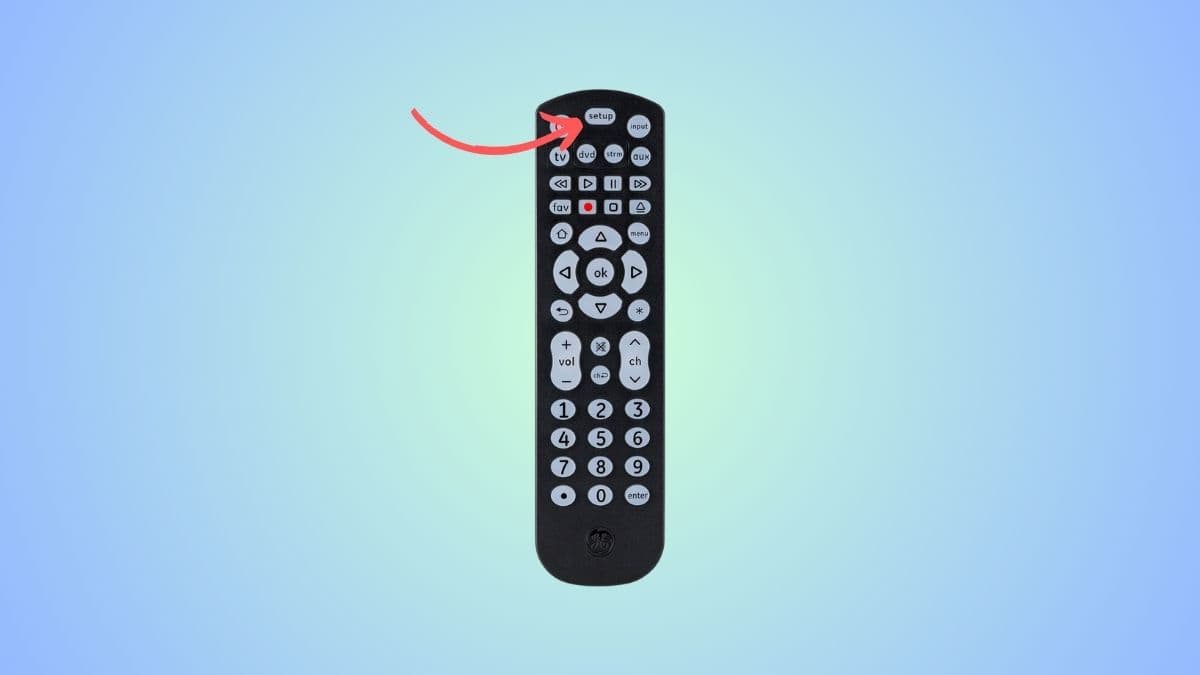
Step 2 Press the setup button
After you’ve turned on the TV, press and hold the “Setup” button and keep it pointed toward the TV. You should see a light blink on the remote, which indicates that the remote is ready to be programmed.
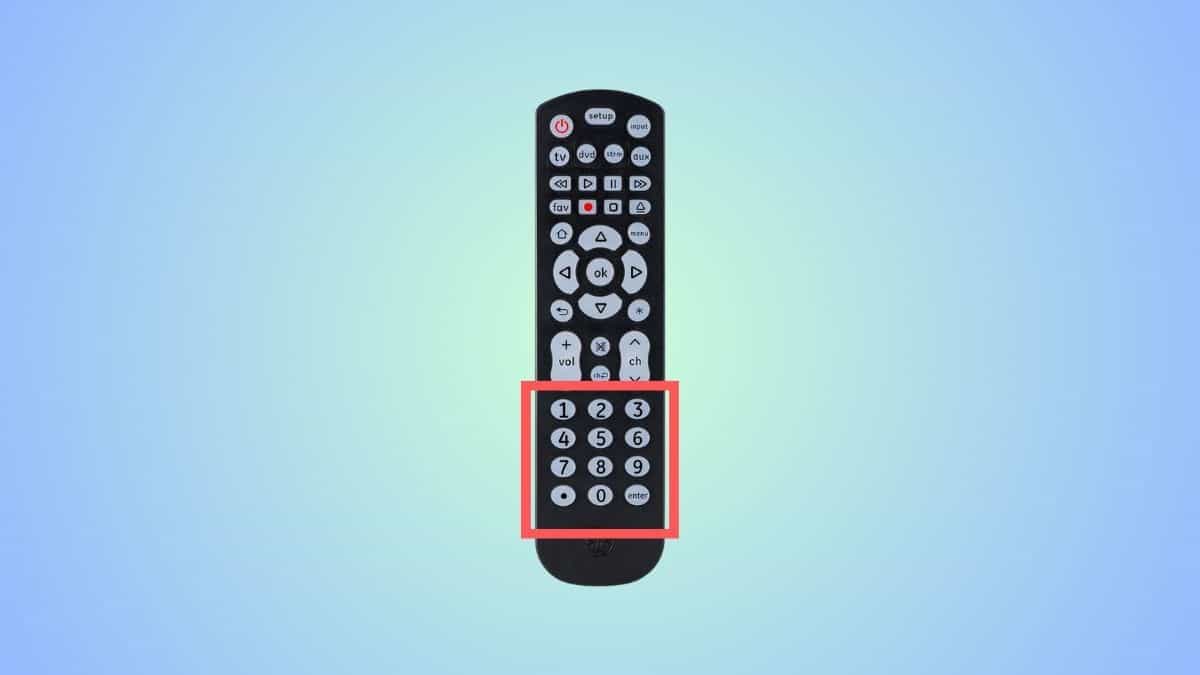
Step 3 Enter the Toshiba TV universal remote code
Now, depending on the brand, select one of the codes from the table above and use the number pad to enter it.
Step 4 Check if the entered code worked
Once you’ve entered the remote code, the LED on the remote should blink. This means that the remote code worked, and your universal has been successfully programmed. However, if this doesn’t happen, then you need to repeat this process with another code till you get the right one.
How to program universal remote to Toshiba TV without codes
If you cannot find the right code for your Toshiba TV, then you can try this auto-code search method.
Step 1 Power on your TV
Turn on your Toshiba TV manually.
Step 2 Press the ‘Setup’ key
On your universal remote, you will see a ‘Setup’ button or a ‘Program’ button. Press and hold it until a light comes on. Release the button.
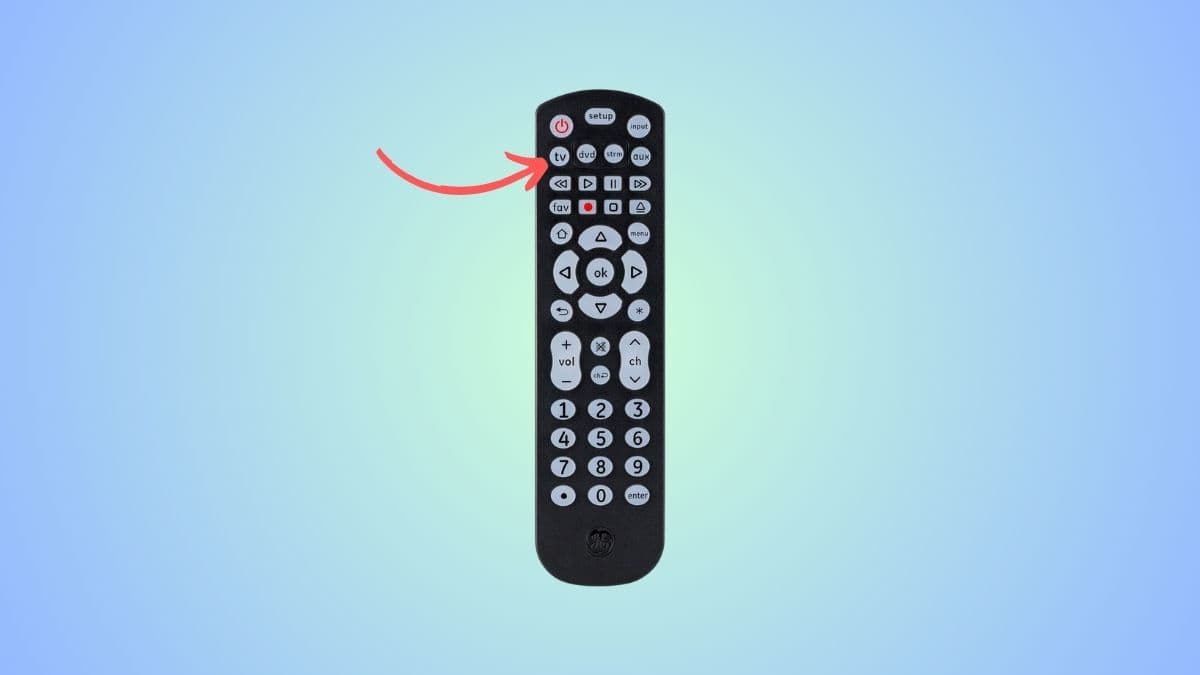
Step 3 Press the ‘TV’ key
Since we are programming the universal remote for your Toshiba TV, we need to press the TV. The light will blink once.
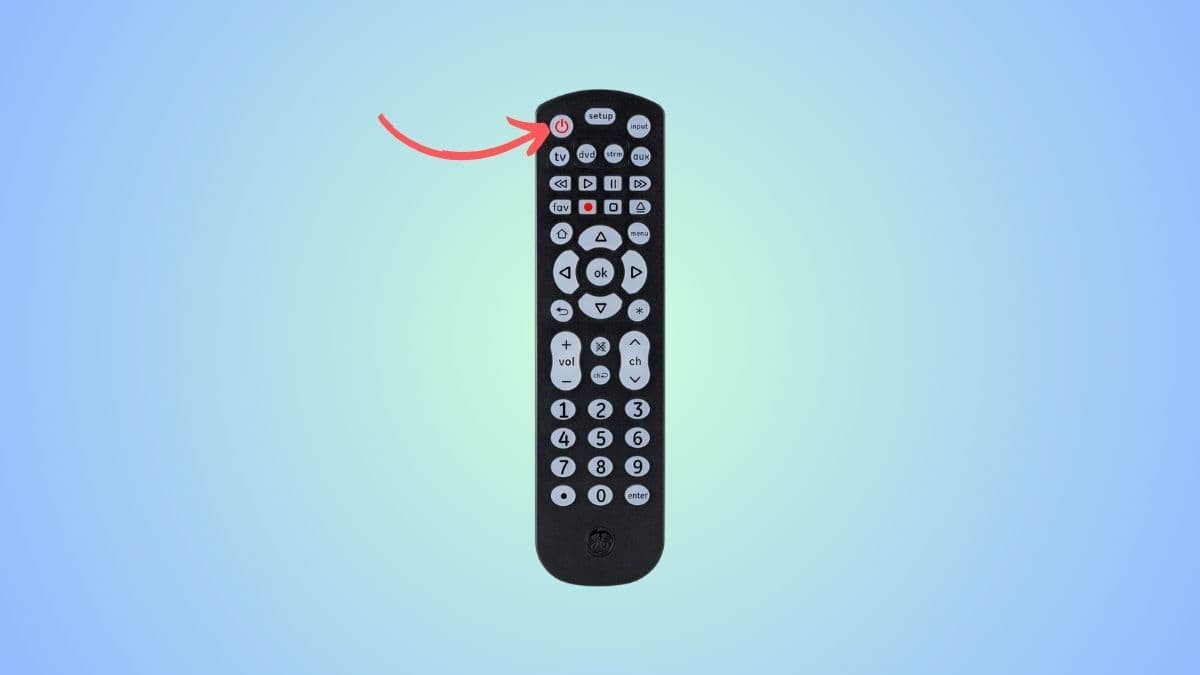
Step 4 Press the power button
Point the universal button at the Toshiba TV and press the power button. Your remote will now transmit a set of codes to test. If your Toshiba TV turns off, it means a suitable code has been found.
But, if the TV does not turn off, press the power key again, which will send the next batch of codes. Keep doing this until the TV turns off.
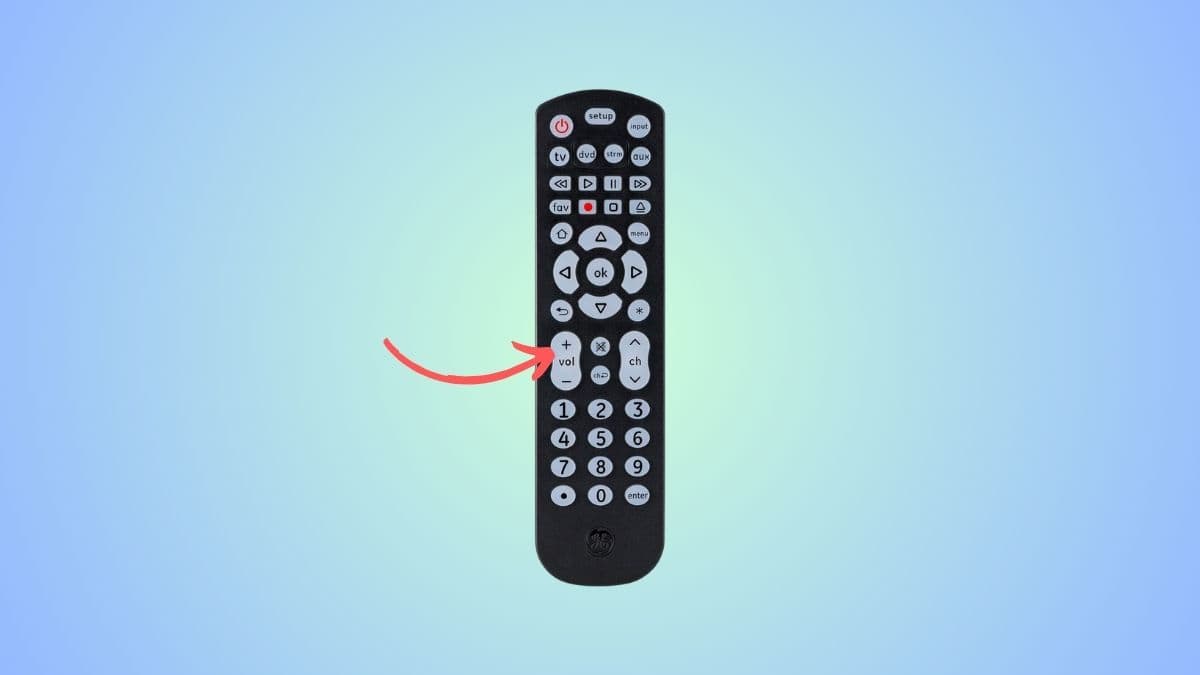
Step 5 Press the ‘Volume +’ key
Next, you have to turn on your Vizio TV manually. Then, point your remote at it and press the ‘Volume +’ button. If your Toshiba TV turns off, it means the right code has been found. Now press the TV button again to lock it.
However, if your TV does not turn off, press the Volume+ button again. Repeat this every three seconds until the TV turns off. Then, press the TV key to save the code.
Frequently Asked Questions
Can you operate a Toshiba TV without a remote?
If you’ve lost or damaged your original Toshiba TV remote, don’t worry; you can still use it with various other options. You can operate it with the buttons on its side or back. The Toshiba TV Smart Center App is also available on your mobile phone, which will let you control the TV. Lastly, you can purchase a universal remote that is compatible with multiple electronic devices, including TVs.
