
Samsung Curved TV Smart Remote Control
Model: BN59-01220E RMCTPJ1AP2 BN5901220E
Introduction
This manual provides comprehensive instructions for the setup, operation, and maintenance of your Samsung Curved TV Smart Remote Control. Designed for ease of use, this multi-function remote offers convenient control over your compatible Samsung 4K Curved TV.
Setup
1. Battery Installation
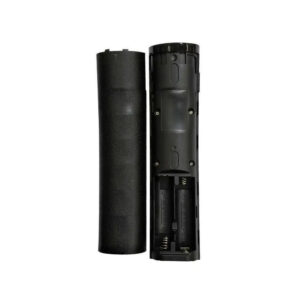
- Locate the battery compartment on the back of the remote control.
- Slide the battery cover downwards or outwards to open it.
- Insert two AAA batteries (not included), ensuring correct polarity (+ and -).
- Replace the battery cover until it clicks securely into place.

2. Pairing with Your TV
This remote control pairs with your TV via a USB receiver. Your TV must have a USB player for this function to work.
- Plug the USB receiver (if included, or use your TV’s existing USB receiver) into an available USB port on your Samsung TV.
- The remote control should automatically pair with the TV. If not, refer to your TV’s user manual for specific pairing instructions for a new remote control.
Operating Instructions
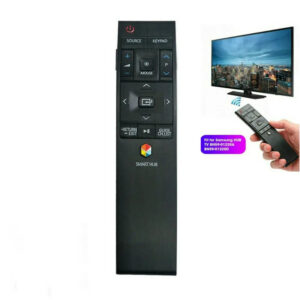
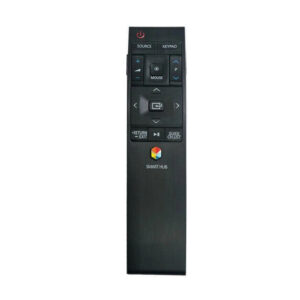
This remote control is designed for multi-function use with compatible Samsung 4K Curved TVs. It features an intuitive layout and comfortable hand feel.
Key Features:
- Multi-function Control: Access various TV features with dedicated buttons.
- Mouse Function: Supports a mouse function for easier navigation on your TV’s interface.
- Large Buttons: Designed with large, easy-to-press buttons for convenient operation.
- IR Wireless Communication: Utilizes Infrared (IR) technology for reliable signal transmission.
Maintenance
Battery Replacement:
When the remote control’s performance degrades or it stops responding, replace the AAA batteries. Follow the battery installation steps outlined in the Setup section.
Cleaning:
To clean the remote control, gently wipe it with a soft, dry cloth. Do not use liquid cleaners, aerosols, or harsh chemicals, as these may damage the remote’s surface or internal components.
Troubleshooting
- Remote not responding:
- Check if the batteries are correctly inserted and have sufficient charge. Replace if necessary.
- Ensure there are no obstructions between the remote control and the TV’s IR receiver.
- Verify that the USB receiver is properly connected to the TV.
- Mouse function not working:
- Confirm that the USB receiver is securely plugged into your TV.
- Ensure your TV model supports the mouse function via a USB receiver.
- No voice function:
- This remote control is a replacement and does not include a voice function. This is normal operation.
Specifications
| Feature | Detail |
|---|---|
| Model | Smart TV Remote Control for Samsung |
| Compatible TV Models | Samsung 4K Curved TV BN59-01220E, BN5901220E, RMCTPJ1AP2 |
| Wireless Communication | IR (Infrared) |
| Use | TV |
| Battery Type | 2 x AAA (not included) |
| Material | ABS |
| Certification | None |
| Origin | Mainland China |
| Package Length | 15 cm |
| Package Width | 5 cm |
| Package Height | 5 cm |
| Package Weight | 0.069 kg |
User Tips
- TV Compatibility: While designed for specific Samsung 4K Curved TV models (BN59-01220E, RMCTPJ1AP2, BN5901220E), some users have inquired about compatibility with models like UN55JU670DFXZY and UA55JS9000. Always verify your TV’s model number against the remote’s listed compatible models for optimal performance.
- USB Receiver: The remote’s mouse function and pairing rely on a USB receiver. Ensure your TV has an available USB port and that the receiver is properly connected.
- No Voice Control: This remote is a replacement model and does not support voice control features.
