
Element TVs can be paired with a universal remote. This type of remote can be connected to multiple different devices at the same time, and you can control all of them using just one remote. In short, you no longer have to worry about managing several remotes. However, to pair it, you need the correct universal remote codes for Element TV.
To find the correct remote code the first thing we’d recommend doing is checking your Element TV manual, as there are usually universal remote codes for your specific TV in there. If you don’t have much luck, you can use the below lists to help you find the right one for your remote.
Quick Answer
Turn on your TV > press and hold the Setup button until a red light appears > press the TV or device button > type the code using the numeric keys > test the remote.
Element TV remote codes
You can find 3-digit, 4-digit, and 5-digit Element TV remote codes in the table below.

| Brand | Codes |
| Comcast | 1756 12183, 13559, 11756, 12964, 11687, 10885, 11864, 11523, 12434, 12049, 11993, 10156, 10706, 11886, 10178, 14398, 13907, 12260 |
| DirectTV | 10178, 10818, 13559, 10706, 11687, 10885, 11756, 12964, 12360, 12434, 12183, 12049, 11886 |
| GE | 020, 081 0020, 1173, 1651, 1025, 0081, 5421, 2401, 2891, 1091, 1741, 5341, 5352, 5361, 5313, 5411, 5471, 5483, 4111, 5139, 5353, 5831, 5841, 6021, 6171, |
| Magnavox | 0073, 0001, 0088 |
| One for All | 0885, 0706, 1687, 3559, 4635, 1886, 2256, 4660, 4217, 4398, 5173, 4398, 2256, 2434, 2049, 4740, 4910, 1687, 1756, 2183, 2964, 3183 12183, 12434, 11756, 10885, 12049, 43321, 45533, 44354, 44651, 36432, |
| Philips | 1741, 1204, 1718, 2891, 5421, 1091, 5361, 1651, 5471, 5831, 5841, 4111, 5411, 5341, 1918, 2401, 6171, 6021, 1104, 0709 11764, 13558, 14972, 13656, 14254, 14156, 17415, 18924, 10862, 10916, 11147, |
| RCA | 0885, 1687, 1886, 2964, 1756, 0706, 3183, 4217, 2256, 2183, 2434, 2049, 3559, 3907, 4398 10885, 12434, 12964, 14398, 12183, 13183, 12049, 14217, 11886, 12256, 11756, 13559, 13907, 11687 |
| Spectrum | 004, 031, 110, 268, 363, 387, 459, 494, 526, 587, 705, 622, 690 0281, 0571, 0706, 0885,1524, 1864, 2746, 1098, 1228, 2801 1065, 1687, 1756, 2183, 2256, 2360, 2511, 3559, 2434, 2964, 2049, 4401 12183, 12256, 12746, 13559, 11756, 12434, 12049, 12964, 13907, 10885, 11687, 14660, 11886, 12360, 14398, 11524, 11864 |
For more codes, you can visit the official Element Electronics website.
How to program Element TV remote
Now that you have learned what the Element universal remote codes are, let’s go through the Element universal remote setup process.
Step1
Turn on your Element TV
Turn on your Element TV. If you lost your original remote, you can turn it on using the manual power button on the TV.
Step2
Start the setup process
Press and hold the Setup button on your universal remote and release it only after you see a red light on the remote.
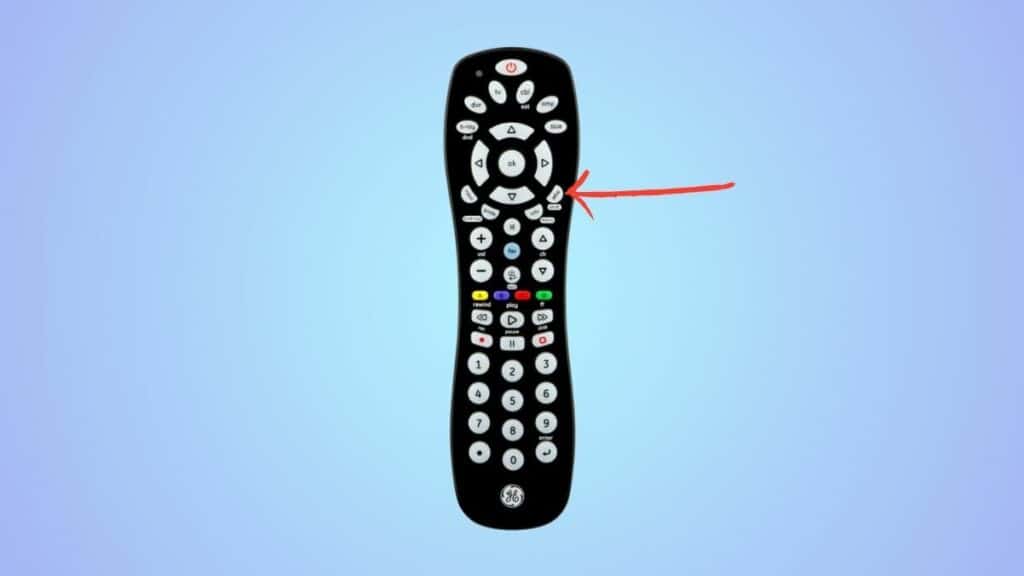
If the red light disappears on the remote after you let go of the Setup button, repeat the process.
Step3
Press the device button
Now, press the device button (TV button). This will make the red light blink, after which it will become solid again.
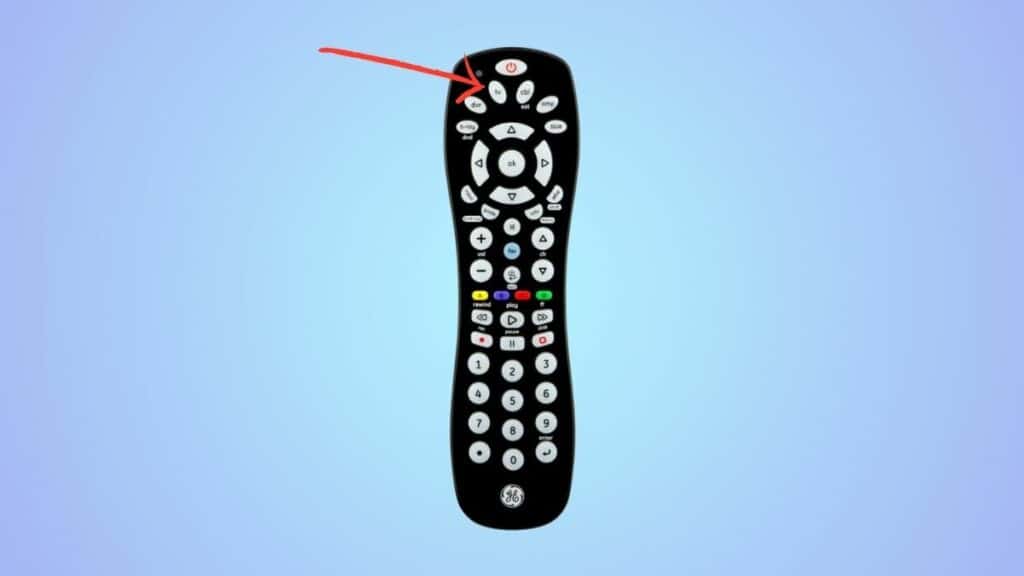
Step4
Enter the code
Enter one of the codes from the table below using the numeric keys on the remote.
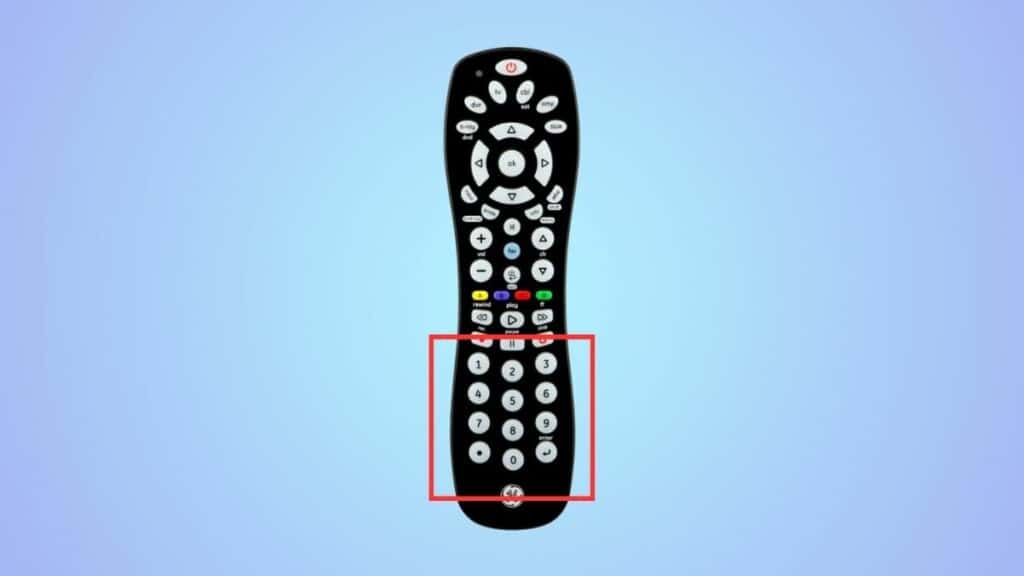
If the code is correct, the red light will turn off, and you can control the TV using the remote. But if it isn’t, you’ll have to repeat the process from the start and try a different code.
How do I know if a universal remote will work with my TV?
The latest universal remotes are meant to work with most of the major brands. Still, before getting a remote, make sure to learn about its compatibility from either its company’s website or customer support service team.
What is the 4-digit code for Element TV?
The 4-digit code for Element TV will be different for every brand. For instance, if you’re using a GE remote, the code will be 0020, 1173, or 1651. Similarly, if you’re using a Comcast remote, the code will be 1756. You can look at the table above to find 4-digit codes for every brand.
