
Now, first things first – we’ve listed all the 3-digit, 4-digit, and 5-digit remote codes you would need for various different types of universal remotes. For example, you’ll find codes for GE, One For All, RCA, and more below. If you’re here, then it’s likely that you haven’t been able to find the correct remote code just yet, which means that you may have to go through some of these lists to get the right one.
Before you do that, word to the wise – make sure to check your Sharp TV manual, if you still have it. It’s highly likely that you’ll find the correct code in there. You’ll also want to be aware that you can program a universal remote without codes, and we’ve got a step-by-step guide below to help you with that too.
So let’s get into and help you set up your remote.
Quick Answer
If you have the code for your Sharp TV, you can – Turn the Sharp TV on > press the ‘setup’ button > press the ‘TV’ button > type the code (refer to the list in this guide) > check if the remote is working.
If you want to set up your Sharp TV without codes, check out our guide here.
Sharp TV universal remote codes list

| Brand | Code (3, 4, and 5-digits) |
| One For All | 019, 165, 039 036, 093, 153, 179, 157, 189, 220 0093, 0386, 0688, 0412, 0653, 1423, 1193, 0157, 1564, 1602, 1756, 1093, 1659, 1819, 2360, 2049, 2434, 2402, 2676, 2951, 3519, 3810, 3175, 3394, 4843, 4618, 0818, 3790, 2214, 2183, 0009, 0036, 1587, 3719, 1393, 1163, 0650, 0039, 4340, 0178, 4740, 0689, 4398, 0885, 3983, 3485, 4507, 0706, 0491, 4892, 1758, 0851, 4121, 2106 10818, 10093, 10178, 11756, 12183, 10885, 12434, 12049 |
| Comcast | 0093, 0178, 0165, 1756, 0720 12360, 11756, 10885, 12183, 12049, 13867, 10706, 12434, 10093, 11602, 10153, 10093, 10165, 10491, 10036, 10398, 11801, 11407, 10851, 10178, 10032, 10386, 10039, 10157, 10281, 11993, 12284, 11670, 12285, 11089, 10078, 12286 |
| GE | 078, 063, 081, 123, 020, 009, 004, 006, 226, 012, 095, 029, 112, 113, 111, 171, 173, 122 0009, 0123, 0079, 0004, 0020, 0081, 0063, 3191, 5341, 2891, 5421, 3181, 0001, 1741, 0341, 3201, 2731, 0461, 0691, 0681, 1291, 1211, 2031, 1441, 3461, 2261, 4991, 4751, 6001, 6011, 5941, 6171, 6251, 4105, 5011, 5013, 5006, 5035, 5040, 5018, 5051, 5058, 5041, 5068, 5139 |
| Philips | 192, 063, 066, 120 0036, 5341, 0063, 5421, 3191, 2891, 1741, 3181, 0001, 0341, 3201, 2731, 0461, 0681, 1221, 0691, 1441, 1291, 2201, 2031, 3461, 2261, 4991, 4751, 6001, 6011, 5941, 6171, 6251, 4105, 0120, 0695, 0680, 1220, 0321, 0913, 0509, 0709, 0907, 0603, 1718, 0002 11957, 12669, 14972, 14545, 14346, 14447, 10764, 14248, 10065, 12561, 14254, 10163, 11764, 13450, 10005, 11837, 12210, 12859, 12957, 15605, 14058, 15801, 15703, 16007, 15909 |
| RCA | 005, 004, 020, 012, 006, 029, 095, 111, 026, 025, 027, 011, 052, 037, 018, 008, 083, 077 0093, 2360, 0818, 3519, 2402, 0688, 0178, 2183, 1756, 2434, 4398, 0689, 0885, 1602, 0706, 2049, 0851, 0491, 1007, 3183, 1004, 1009, 1010, 1006, 1026, 1012, 1095, 1029, 1111, 1040, 1013, 1457, 3720, 1182, 1015, 1204, 1023, 1158, 1078 10818, 10178, 10093, 12402, 12360, 12183, 11756, 12049, 13183, 10885, 13720, 13519, 14398, 11457 |
| Spectrum | 004, 081, 019, 026, 705, 014, 684, 028, 387, 028, 251, 031, 363, 268, 022, 143, 175, 236, 127, 496, 308, 735, 765, 766, 692, 027, 025, 023, 024, 016 0093, 2360, 1093, 2183, 0178, 1756, 2434, 0706, 2049, 1011, 1025, 1004, 1346, 1010, 1006, 1095, 2104, 1670, 1589, 1457, 1228, 1075, 1205, 1060, 1033, 1098, 1055, 1294, 1075, 1301, 1308, 1328, 1313, 1094, 1100, 1079, 1022, 0171, 4001, 4021, 4031, 2511, 0051, 4011, 0301, 4041, 0331, 0451 12183, 12434, 12049, 11756, 12360, 12402, 10178, 13867, 11457, 11589, 14398, 14121, 11670, 14740, 12104, 10885 |
| Magnavox | 0107, 0129 |
How to program universal remote for Sharp TV
Now that we have the preliminary information let’s get to programming your universal remote using the Sharp TV remote codes.
Step1
Turn on the TV
Power up your Sharp TV by connecting its power cord to a functional wall socket.
Step2
Initiate the setup process
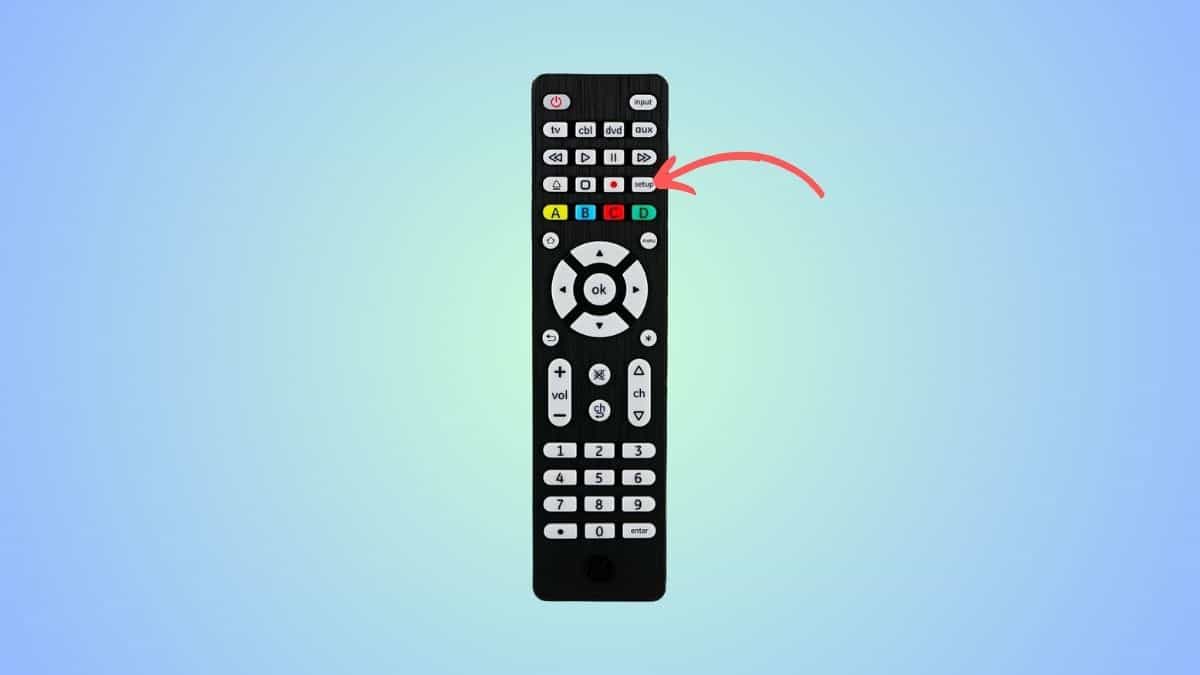
Now, depending on the type of remote, you’ll have to press a different button to start the setup. For example, the button on a Philips or GE remote is labeled “Setup.” Press and hold that button till it lights up.
Step3
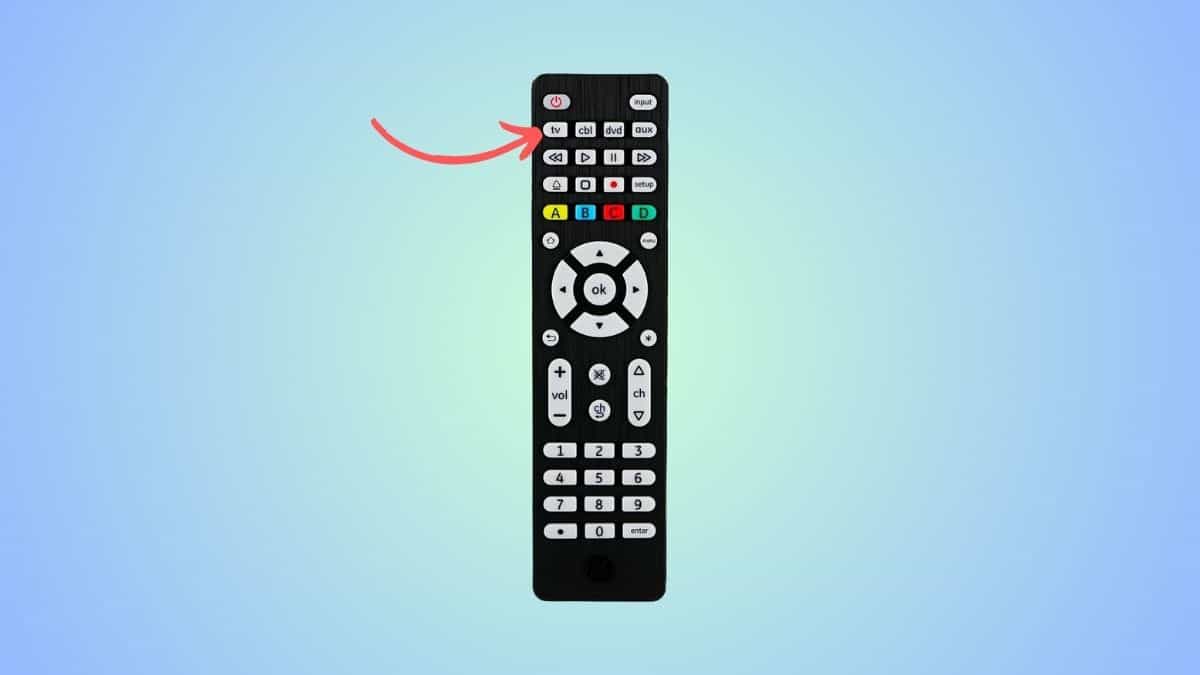
Press the TV button
Since we are programming this universal remote for your Sharp TV, press the ‘TV’ button.
Step4
Enter the code
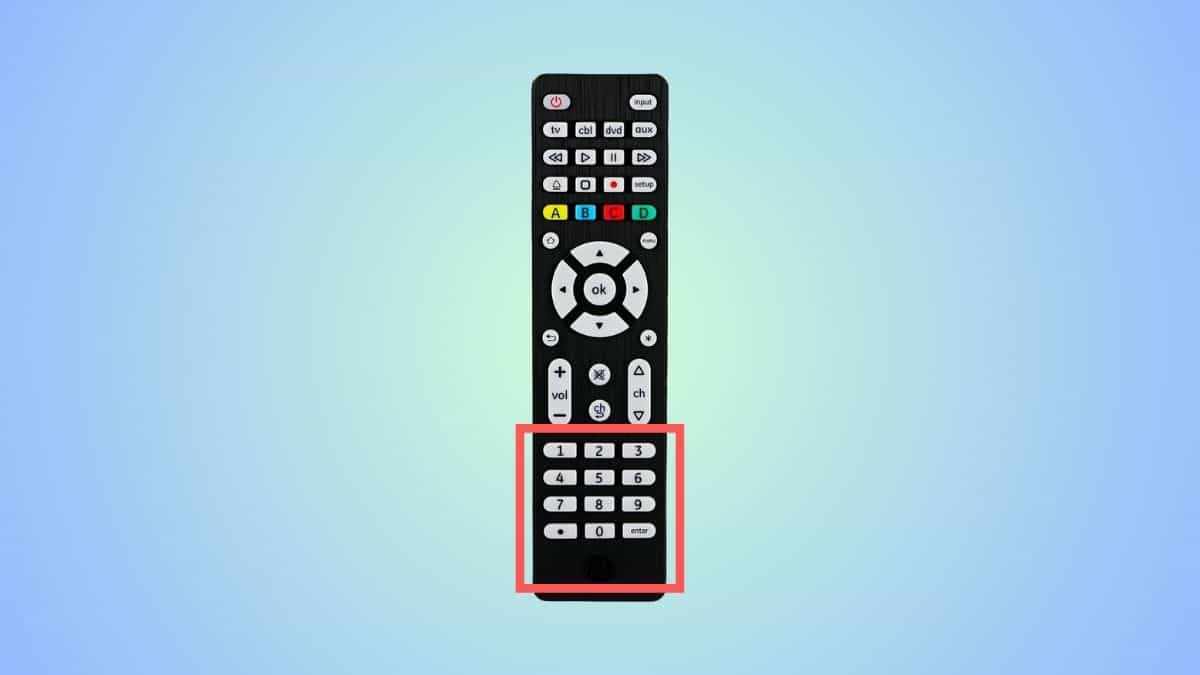
From the table above, pick a code corresponding to your remote and enter it using the number keys. Once you’ve entered the code, the light and the TV might turn off. Don’t panic, as this is normal.
Step5
Check if the code was accepted
Press the “Power” button on the remote to see if your TV turns on. If it does, the code is accepted, and the remote is programmed successfully. If it doesn’t, you’ll have to repeat this process with a different code from the table.
How to program universal remote for Sharp TV without codes
If you are having trouble finding the right code or are not sure which one to use, then you can use this auto-code-search method.
Step1
Start the programming mode
On your universal remote, you will see a ‘Setup’ or ‘Program’ or ‘Magic’ button. You have to press it to trigger the programming mode. Press and hold this button until you see a light on the remote.
Step2
Press the ‘TV’ button
Then, you have to press the ‘TV’ button as we are programming the remote for your Sharp TV.
Step3
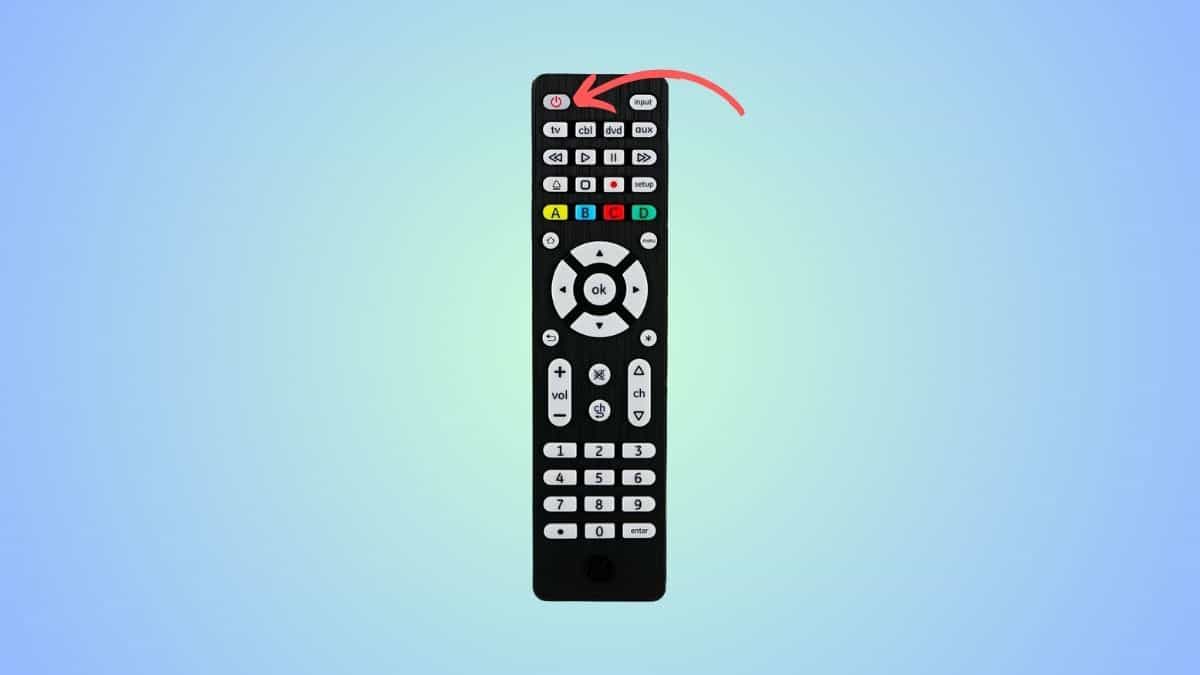
Press the ‘Power’ button
Aim the universal remote at your Sharp TV and press the power button. Your TV and remote are testing codes and finding the suitable ones. Once the right code is found, the TV will turn off.
If the Sharp TV does not turn off, press the power button again. Keep doing this until the TV turns off.
Step4
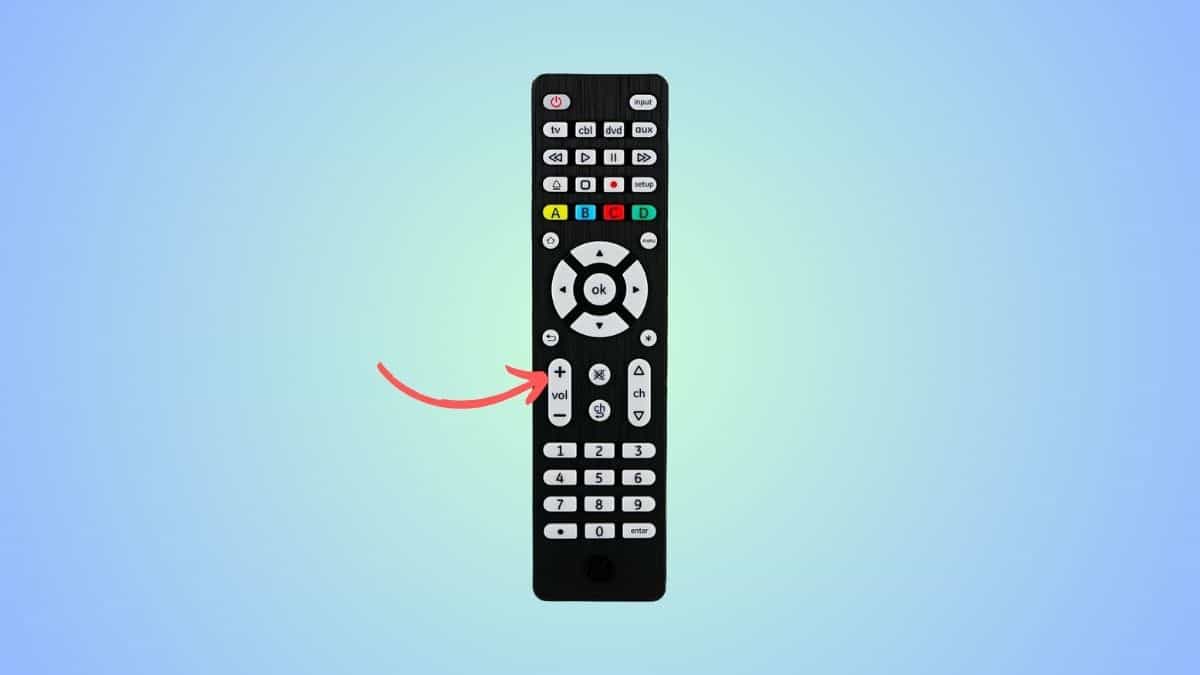
Press the volume+ key
Next, power on your Sharp TV manually. Then, aim your remote at it and press the ‘Volume+’ button. The TV will then go through the previous set of codes. If the Sharp TV turns off, press the TV button to lock the code.
However, if the Sharp TV does not turn off, press the ‘Volume +’ button and keep pressing it every 3 seconds until the TV turns off.
Step5
Check if the remote works
Now, power your TV on and press a few buttons to see if the remote is working fine.
Frequently Asked Questions
Can I use my phone as a Sharp TV remote?
You can use your phone to control your Sharp TV via the Google TV application. You can download it through the Google Play Store, set it up with your TV, and then use it as a remote.
