
Universal remotes can be used with practically any type of TV, so it’s no surprise they can be paired with Sony TVs or devices. There are a few way of going about this, but typically speaking, it comes down to finding the correct code – generally a 4 digit code but sometimes a 3-digit or 5-digit code too.
To find the correct code you can use lists like the ones we have below, however, the quickest way to find the correct code is to use either Sony’s online database or take a look in your TV’s manual, which is likely to have the codes in there also. The good news is, that if you can’t find the code, there are options to pair your remote with your Sony device without one.
Our guide will walk you through the steps to programming your remote for your Sony TV, and other devices such as Blu-ray and DVD players.
Quick Answer
Turn on your device > press and hold the Setup, Magic, or Code Search button on your universal remote > let it go after you see a light on the remote > press the device button > enter the code > test the remote.
Sony universal remote codes
Here’s a complete list of Sony TV codes, as well as codes for other devices, such as DVD players and Blu-ray players.
Sony TV remote codes

| 3-Digit Codes | 500, 619, 514, 504, 521, 758, 578, 640, 513, 781, 837, 795, 590, 652, 611, 677, 683, 756, 856, 797, 859, 115, 783, 922, 844, 721, 798, 624, 000, 690, 808, 090, 810, 049, 201, 212, 609, 629, 128, 013, 002, 071, 380, 152, 205, 216, 218, 037, 532, 038, 063, 300, 080, 011, 111, 273, 229, 036, 001, 608, 241, 126, 646, 139, 085, 236, 651, 240, 633, 702, 602, 014, 020, 021, 050, 095, 178, 030, 048 |
| 4-Digit Codes | 2778, 0810, 1825, 4448, 4396, 4189, 1505, 4151, 1651, 0653, 1317, 3691, 0000, 1625, 0650, 1100, 1685, 0036, 1751, 0010, 0834, 1551, 0011, 1300, 0170, 3329, 0093, 3622, 0505, 0157, 1904, 4209, 0605, 0128, 0013, 0002, 0071, 0380, 0152, 1071, 5321, 4981, 1901, 1641, 2741, 1731, 2161, 3531, 3891, 4101, 5811, 0001, 0532, 0064, 1678, 1532, 0063, 0027, 0037, 0044, 1004, 1023, 1027, 1073, 1074, 1075, 1079, 1080, 1140, 1141, 1037, 1219, 1090, 1388, 1408, 1002, 1109, 1128, 1137, 1201, 1178, 1215, 1216, 1218, 0111, 1007, 1039, 1205, 0414, 0902, 0801, 0708, 0639, 2506, 5001, 5004, 5017, 5030, 5032, 5098, 5141, 5149, 1017, 1069, 1088, 1000, 1064, 1152, 1288, 1326, 1370, 1001, 1036, 1093, 1135, 1177, 1179, 1157, 1164, 1165, 1174, 1176, 1225, 1227, 1229, 0031, 1981, 0051, 4781, 0061, 0141, 0171, 0191, 0261, 0611, 0861, 2881, 0501, 1161 |
| 5-Digit Codes | 10810, 11300, 11685, 10000, 10011, 10273, 11317, 10353, 10834, 10080, 11400, 11786, 11791, 11904, 11925, 12736, 11100, 14352, 16744, 15045, 14741, 19557, 12337, 11712, 13251, 10717, 18152, 10565, 19848, 16415, 19016, 12506, 14760, 13153, 13267, 14102, 14200, 14700, 14808, 13121, 11913 |
Sony Blu-ray player remote codes
| 3-Digit Codes | 617, 644, 645, 670, 671, 729, 730, 731, 768 |
| 4-Digit Codes | 2484,1516, 2014, 2020, 2022, 2065, 2103, 2108, 2113 ,2162, 2171, 2176, 2189, 2203, 2226, 2238, 2244, 2251, 2257, 2273, 2278, 2296, 2298, 2305, 2306, 2307, 2309, 2313, 2329, 2332, 2338, 2355, 2405, 2406, 2407 |
| 5-Digit Codes | 11516, 41516, 42178, 42180 |
Sony DVD player remote codes
| 4-Digit Codes | 1272, 1275, 1276, 1277, 1002, 1109, 1137, 1201, 1202, 1249 |
| 5-Digit Codes | 31070, 31033, 31069, 31033, 31070, 31069, 30864, 51658, 51858, 51622, 51558, 31633 |
If you want to learn about more codes, then visit the official Remote Control Programming page on Sony’s website.
How to program a universal remote for Sony devices
Here’s how you can program your universal remote to your Sony devices.
Step1
Turn on your device
Turn on your device using the original remote or manual power button.
Step2
Initiate the programming process
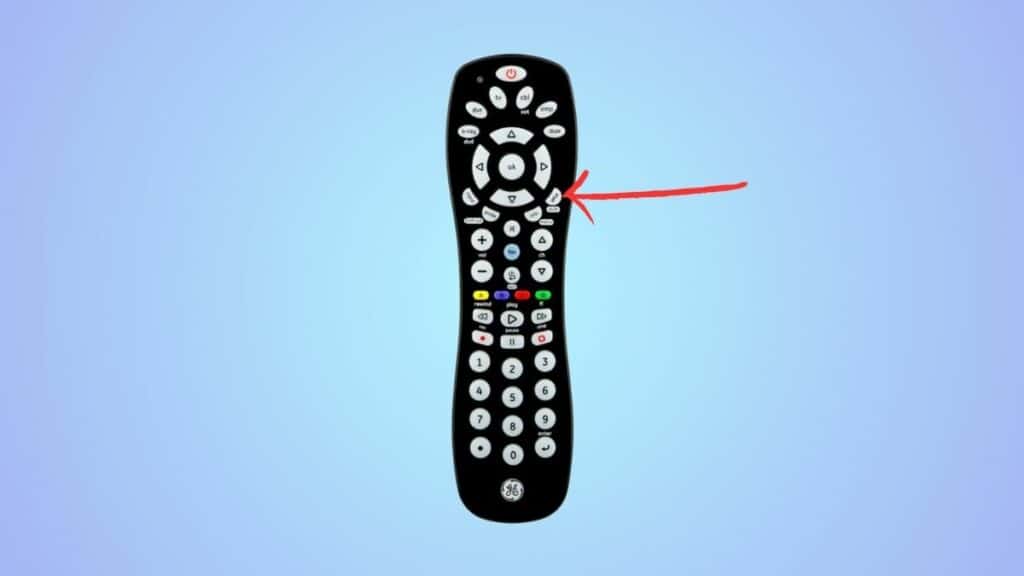
Now, press and hold the Setup, Magic, or Code Search button on the universal remote. The button will be different for every remote brand. Let go of the button after a light on the remote turns on.
Step3
Select your device
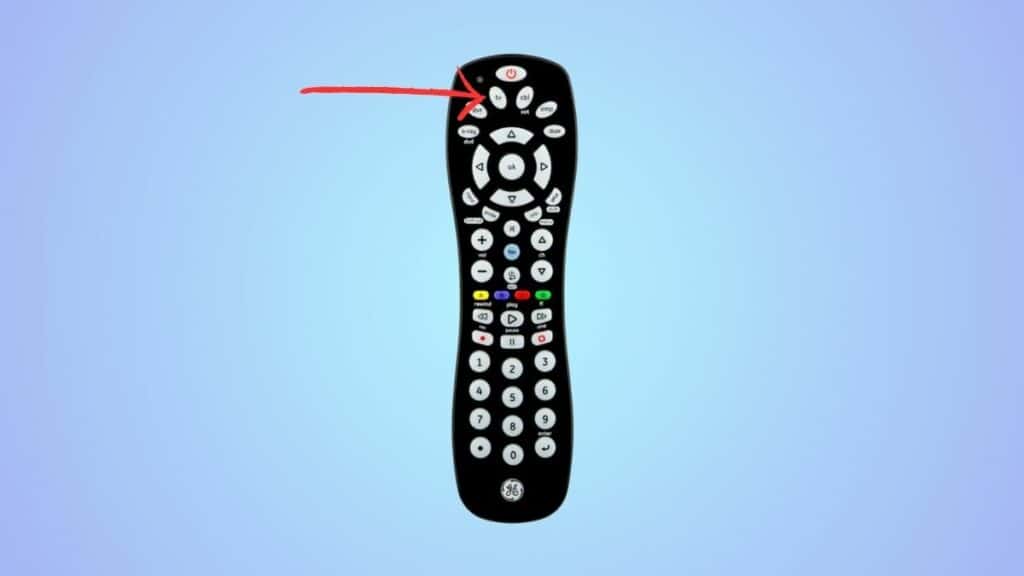
Next, press the device button on the remote, such as the TV or DVD button.
Step4
Enter the Sony remote code
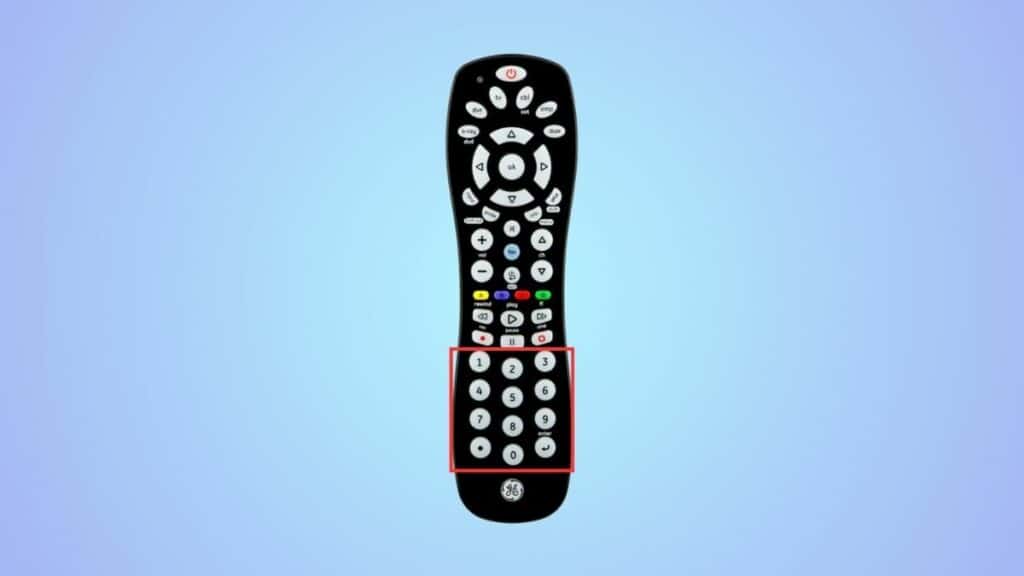
Enter one of the codes from the table using the numeric keys.
Step5
Check if the code worked
If the code you entered is correct, the light on the remote will turn off, and you can start using it. But if the light does not turn off, the code is incorrect. In this case, repeat the process from the start and enter a different code this time.
How do I program my universal remote to my Sony TV without the code?
Point the universal remote towards your Sony TV and press the TV button on the remote. Next, press and hold the TV and power button simultaneously until the light on the TV turns off and then on. Now press the power button again to see if the remote is working. If it isn’t, keep repeating the process from the start until your remote finds the correct code through the auto-programming feature.
