
Universal remote codes can often be found in your TVs manual, or by searching online using your TV product name and number. However, it can sometimes be just as easy to run through a list of codes using your universal remote, and see which one works. We’ve listed remote codes for LG TVs for some of the most common universal remotes, and we’ve included a number of 3 digit, 4 digit, and 5 digit codes that are worth trying for other types of remotes too.
The good news is that there are ways to connect without a code, and we’ve put together a simple guide at the end of the article to walk you through this process, using the GE universal remote as an example (although the process will be similar with other remotes also).
Let’s dive in and see if we can help you connect to your TV.
LG TV remote codes for popular universal remotes
Below you’ll find the most common universal remotes and corresponding codes for LG TVs. For GE remotes, be sure to take the batteries out and look in the compartment – it will tell you what type of controller you have (CL3, CL4, CL5 or CL6).

| Universal remote | Remote codes for LG TVs |
| GE | 0001, 0611, 0931, 5511, 3001, 1181, 1221, 1471, 5501, 3021, 3091, 3221, 3281, 0761, 3311, 3811, 4731, 5271, 0131, 0251,1501, 1911 |
| GE CL4/CL5 | 0001, 5511, 6021, 1181, 1221, 3001, 1911, |
| GE CL6 | 5511, 0001,1221, 1911, 6021, 3001, 1181, |
| One For All | 1423, 2182, 0178, 1663, 0037, 1305, 0556, 1721, 0009, 2057, 0714,1539, 0108, 0606, 0109, 0698, 0715, 1681 |
| RCA 4 digit | 2731, 0856, 1934, 2358, 1447, 0017, 1423, 3397, 0178, 2424, 1178, 1265, |
| RCA 5 digit | 63913, 11840, 31311, 52412, 2731 12731, 2358, 3397, 11860, 0178, 0017, 11265, 11423, 10017, 10178, 10856, 11447, 12424, 12358, 14397, 14398, 11756 |
| Magnavox | 0103, 0122, 0038, 0017, 0027, 0124, 0021, 0026 |
| Spectrum | 21526, 20591, 20741, 21602, 22485, 20869 |
| Brightstar | 619, 227, 910, 700 |
Now if you have a remote that is not on this list, we’d recommend trying some of the following codes to narrow down which one is correct for your device.
LG TV remote codes – 3 digit, 4 digit, and 5 digit
| 3 Digit Codes | 4 Digit Codes | 5 Digit Codes | 4-digit RCA universal remotes |
|---|---|---|---|
| 80 | 37 | 11265 | 1002 |
| 156 | 50 | 11423 | 1004 |
| 227 | 56 | 11530 | 1005 |
| 338 | 57 | 11637 | 1014 |
| 420 | 80 | 11758 | 1025 |
| 505 | 108 | 11934 | 1078 |
| 506 | 109 | 11993 | 1081 |
| 512 | 156 | 12358 | 1095 |
| 520 | 178 | 12424 | 1096 |
| 553 | 227 | 12612 | 1097 |
| 615 | 338 | 12834 | 1098 |
| 627 | 361 | 12864 | 1099 |
| 653 | 556 | 12867 | 1100 |
| 678 | 606 | 13397 | 1101 |
| 766 | 644 | 13979 | 1111 |
How to pair universal remote to LG TV
The programming process is straightforward, regardless of whether you have a GE, RCA, Philips, Brightstar, or another brand of universal remote. This manual approach to programming your universal remote is a bit of a longer method but can help you et your LG TV and remote connected.
Step1
Turn on your LG TV
Ensure your LG TV is powered on.
Step2
Initiate programming mode
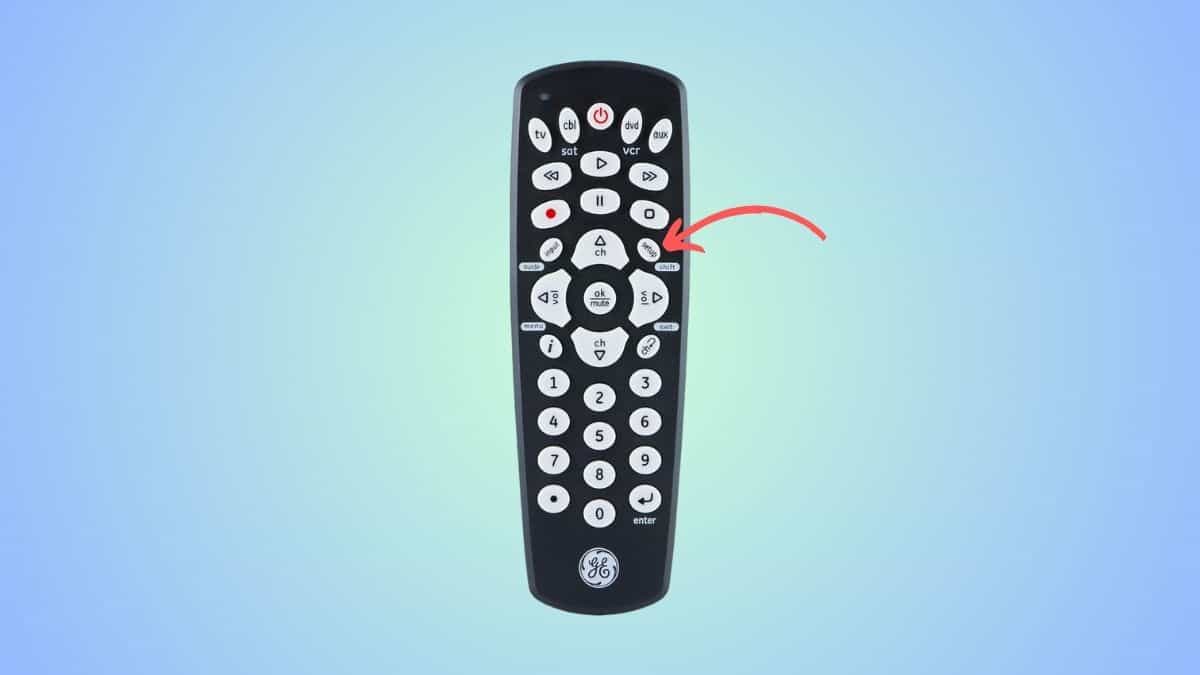
Press and hold the ‘Setup’ button until the red light on the power button turns on. For better understanding, here’s what a Setup button would look like on a GE Universal remote –
Step3
Use the ‘TV’ button
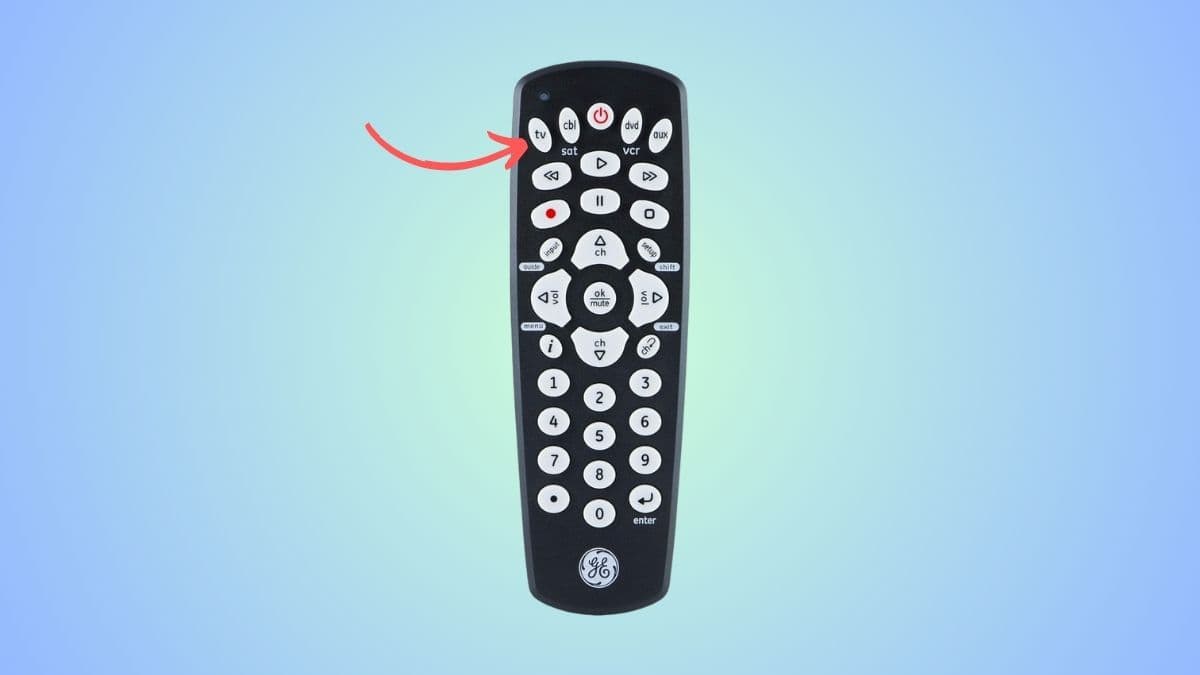
Since we are setting up a TV, you have to press the ‘TV’ button on the remote. For reference, here’s what the button looks like on a GE Universal remote –
Step4
Enter the programming code
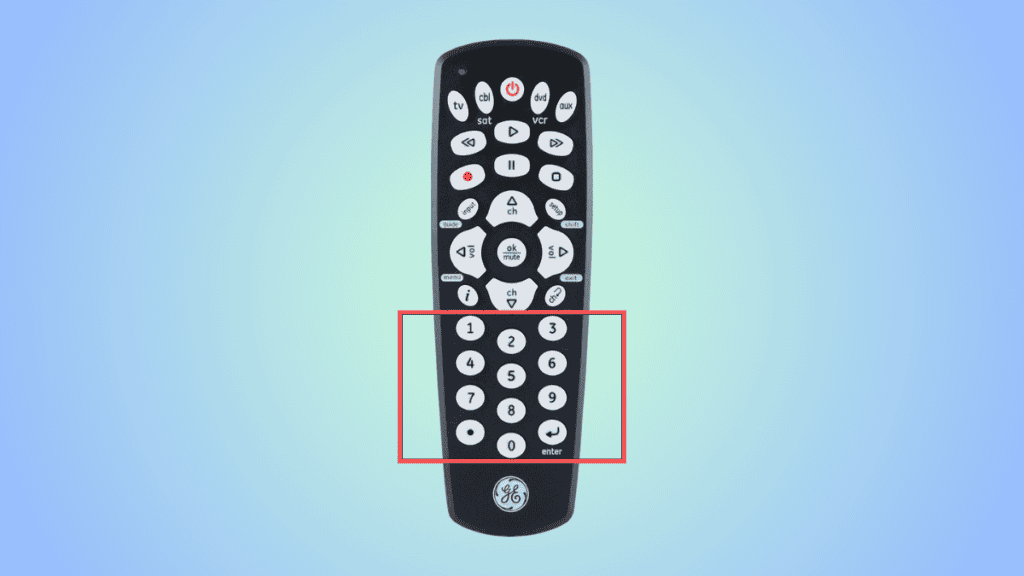
Now, it’s time to enter the code for your specific LG TV model. If you don’t know the code for your TV, then you can try the ones listed above.
Step5
Test if the remote is working
The red light on the power button will turn off when the correct code is entered. If this happens, power on the TV with the remote and try pressing a few buttons. If they work correctly, you’re all set.
If the red light does not go off, or the TV doesn’t respond properly to the remote, try entering a different code.
How to program universal remote to LG TV without codes
The code search method can help if you have no luck using manual codes for your LG TV.
Step1
Power on your LG TV
The first step is to power your LG TV on.
Step2
Enter Code Search Mode
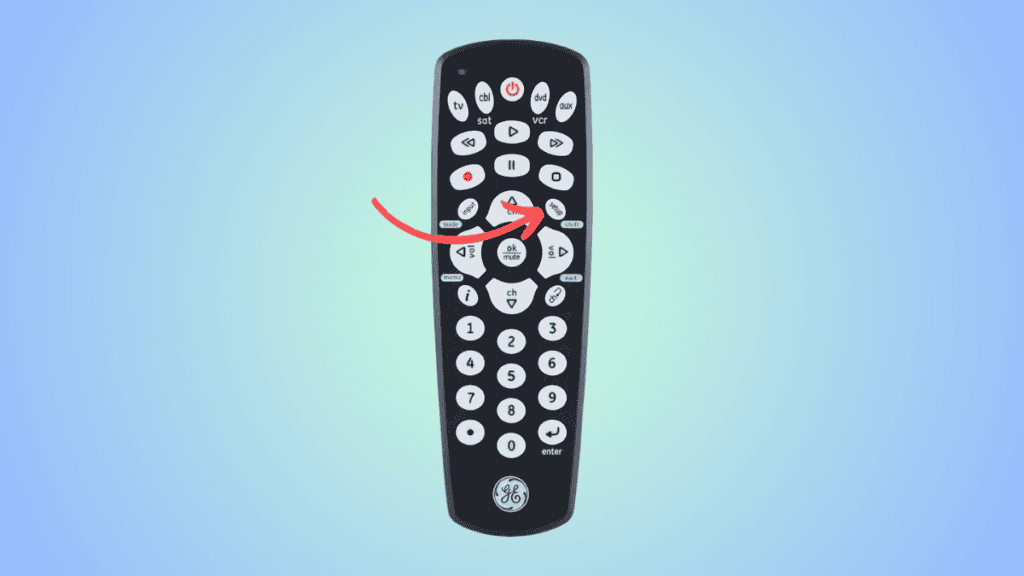
Next, press and hold the ‘Setup’ button. Then, enter the numbers 9-1-3 on the universal remote. This will trigger the code search mode.
Step3
Automatic code search
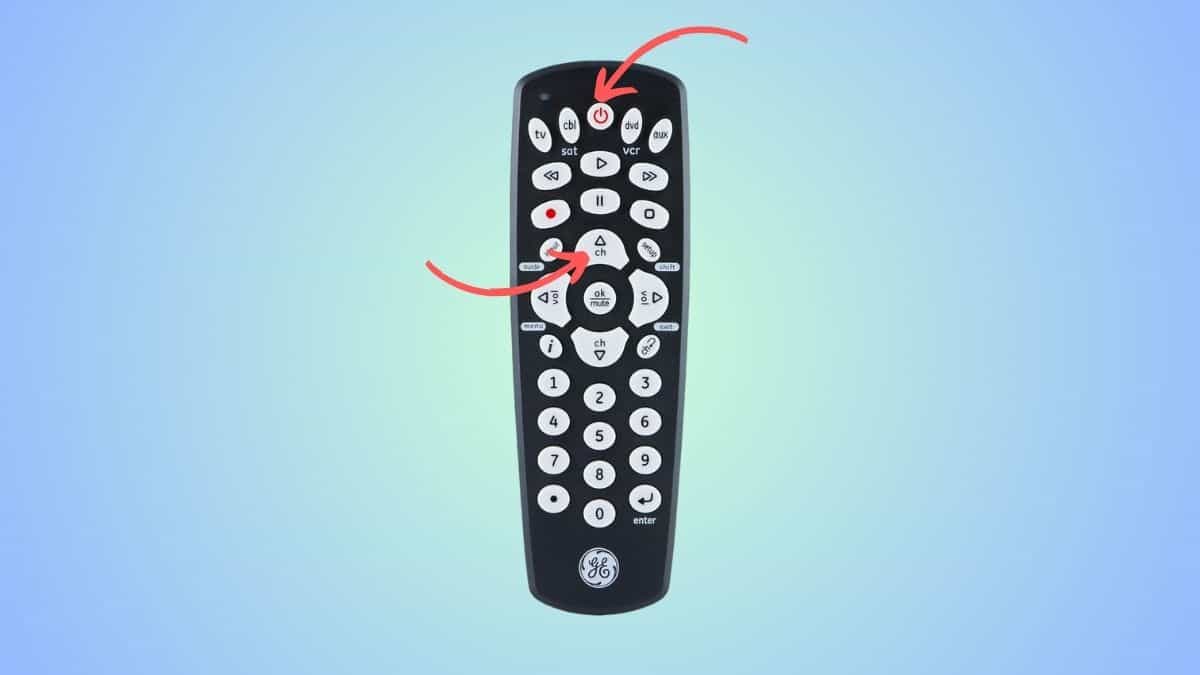
Hold the ‘Power’ and ‘Channel Up’ buttons simultaneously until the TV finds the code and turns it off. For reference, we have provided a picture here with the Power and Channel Up buttons.
Step4
Finalize the setup
Press the power button again to confirm that the pairing is complete.
Please note that not every universal remote is the same – so the process might vary slightly. So if these methods do not work out, refer to the user manual that came with the remote.
Frequently Asked Questions
Why is my LG universal remote not working?
If the universal remote is not working with your LG TV, then it is possible that the code you have selected is wrong. You can try a different code or try setting it up without codes – as outlined in our guide above.
