
Trying to connect your universal remote to your Panasonic TV? We’ve got you covered right here.
To pair your universal remote you’ll need to find the correct code, and we’ve listed these for some of the most common universal remotes on the market, such as GE, RCA, Magnavox, and more. Once you have the right code, follow our simple step-by-step instructions on how to program your universal remote to work with your TV.
It’s worth noting that many universal remotes have an auto-program feature, that can be used to easily pair them with your TV. We have simple guide to this also below.
Panasonic universal TV remote codes
Here you’ll find all the TV codes for most major universal remotes.

| Universal Remote | 4 digit code/ 5 digit code |
| RCA remote codes for Panasonic | 1277, 1275, 1406, 1055, 1418, 1253, 1109, 1392, 1130, 1003, 1054, 1289, 1246, 1419, 1170, 1389, 1286, 1350, 1062 |
| GE remote codes for Panasonic | 0437, 0054, 0170, 0950, 0003, 0070, 0171. 0062, 0381, 0148, 0374 |
| Philips remote codes for Panasonic | 0039, 0696, 0416, 0618, 0739, 0901, 0608, 0345, 0007, 0807, 0718 |
| Magnavox remote codes for Panasonic | 0029, 0052, 00064 |
| One For All | 22435, 43612, 11212, 22461, 21615 |
| Brightstar | 004, 202, 802, 610, 301, 302, 303, 055, 056 |
| Spectrum | 11480, 12240, 11927, 11947, 11924, 10171, 11060, 10150, 10156, 10178, 11142, 11347, 11454, 11774, 12360 |
Universal remote codes for other Panasonic devices
Here you’ll find codes to pair other systems, like audio devices and DVD players.
| Universal Remote | 4 digit code |
| Panasonic universal remote codes | 1231, 1289, 1049, 1053, 1292, 1295, 1010, 1123, 1003, 1152, 1096 |
| Panasonic DVD universal remote codes | 2031, 2066, 2075, 2076, 2104, 2105, 2106, 2111, 2151, 2153, 2154 |
| Panasonic audio universal remote codes | 4030, 4063, 4050, 4018, 4038, 4051, 4005 |
How to program a universal remote to a Panasonic TV
Here is how you can use the Panasonic universal remote codes to work with the universal remote. Just follow the steps below, and your universal remote and Panasonic TV will be up and running in no time.
Step1
Power up your Panasonic TV
Connect your Panasonic TV to a power outlet and turn it on.
Step2
Press the TV and the Setup button
The next step is to press the TV button, followed by the “Setup” button on the universal remote.
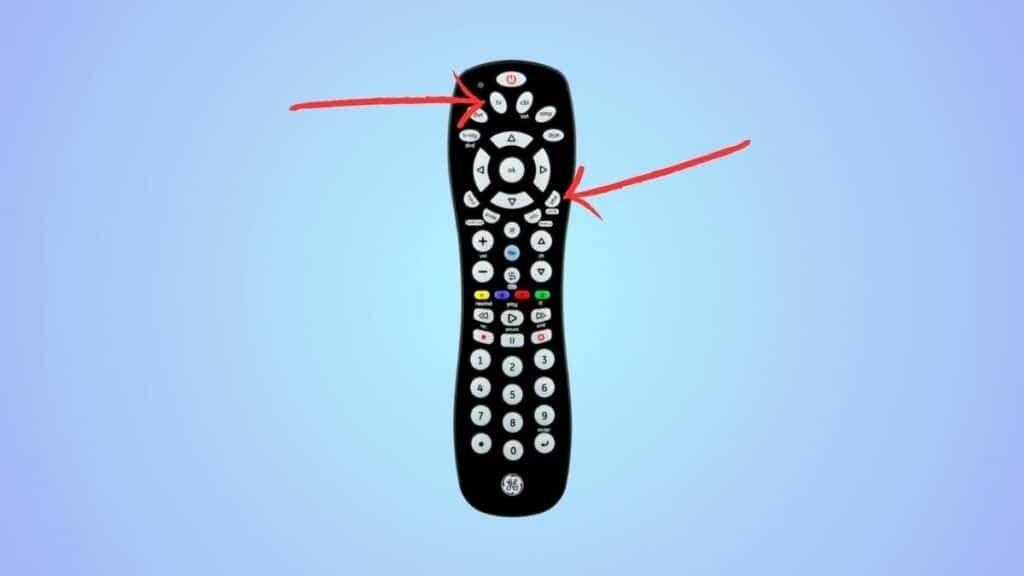
Hold the setup button until you see a flashing light indicating that the remote has entered the “Learning Mode.”
Step3
Enter the Panasonic TV remote codes
From the table below, select a remote code and enter it using the number pad. If the LED blinks after each input, don’t worry; that’s normal.
Step4
Check if the entered code worked
Point the universal remote towards the Panasonic TV and press and hold down the power button till the screen switches off; then you can let it go.
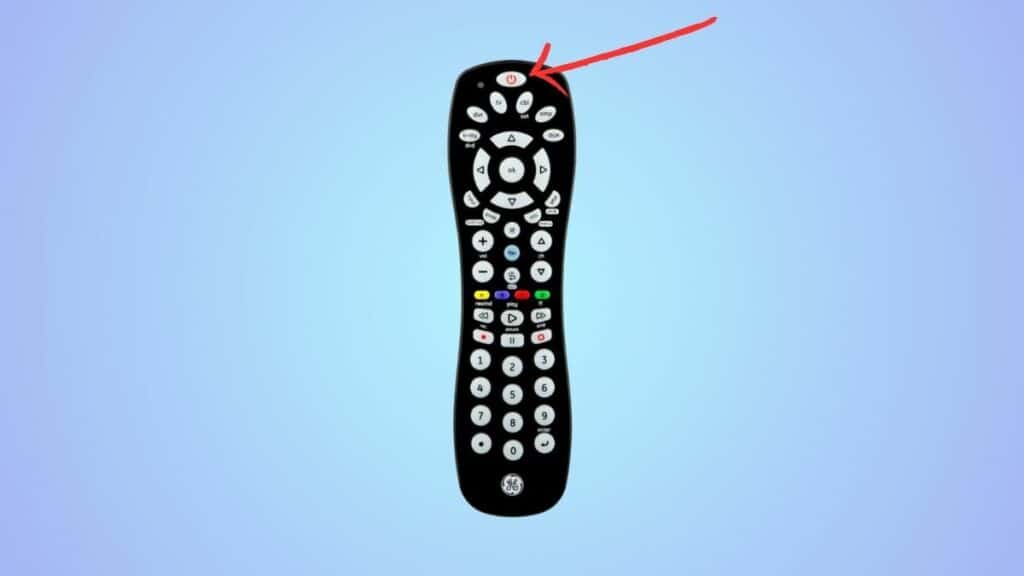
The LED on the remote should blink if the process is successful. Repeat these steps and try a different code if it doesn’t work.
How to program a Panasonic TV with universal remote code with the auto-program function
You can also use the code search function in the universal remote to get the right Panasonic TV remote codes.
Step1
Turn on your Panasonic TV
Power up your Panasonic TV, aim the universal remote at it, and keep it there till this process is completed. Do not move it or block its line of sight.
Step2
Press the Code Search button and select the device
Look for the “Code Search” button on the universal remote. Press and hold it until you see the LED light up, then release it.
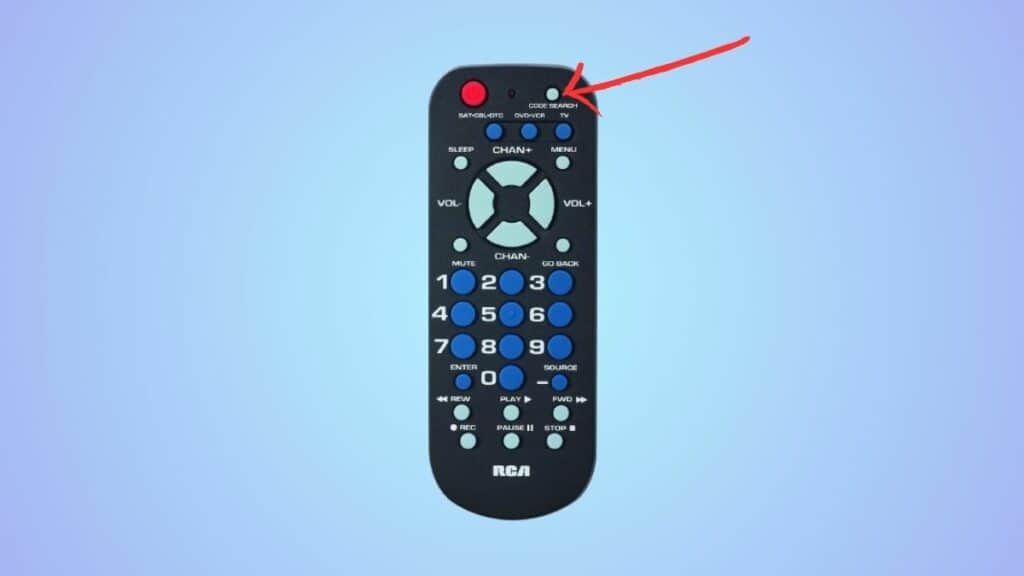
On the remote, press the button of the device you want the remote to work with. Once you do, the LED should blink once and remain static after that.
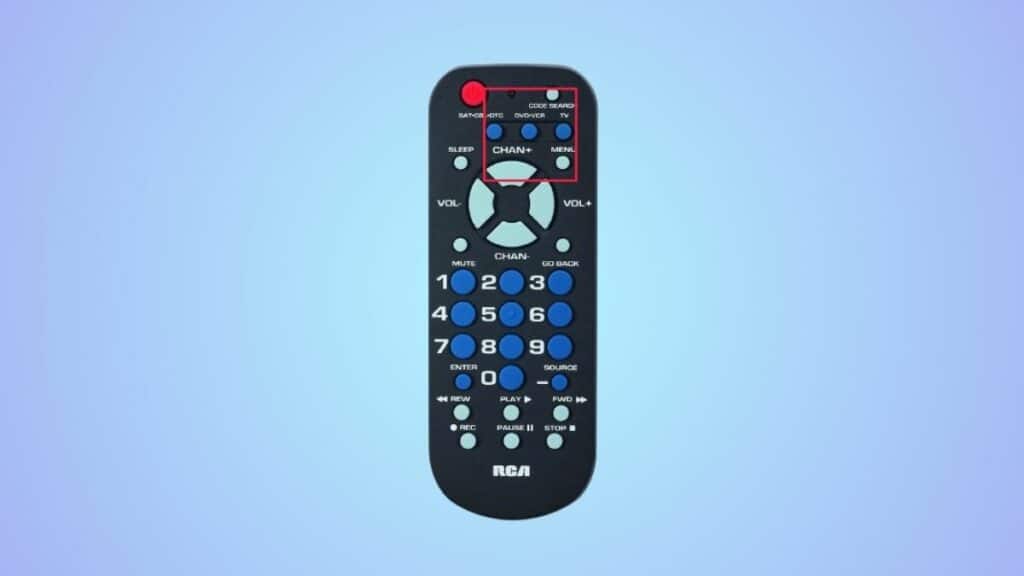
Step3
Press the Power and Enter buttons to complete the process
To complete the process, press the power on/off button once, followed by the “Enter” button.
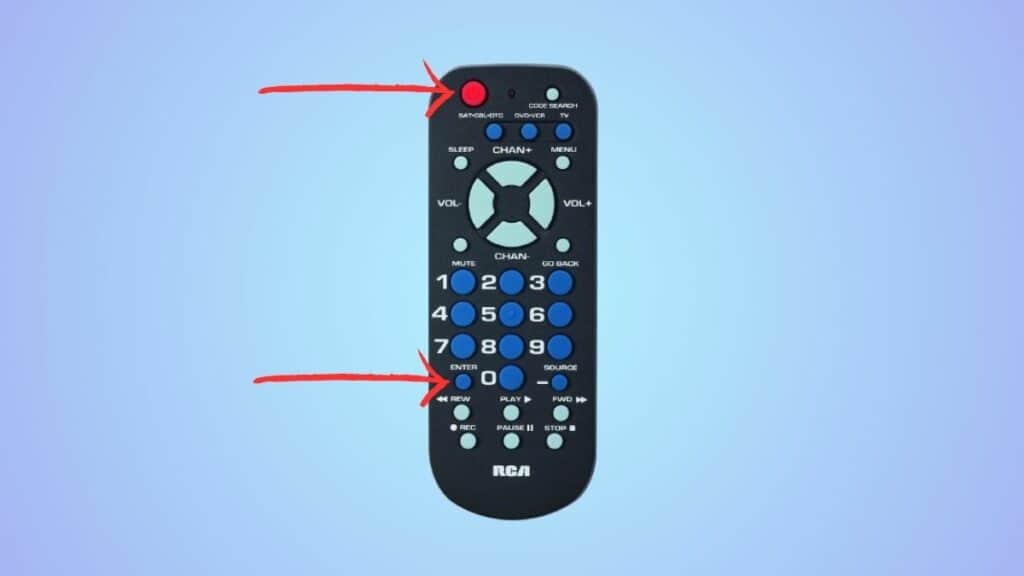
You need to press the enter button within three seconds, or the remote will select the next code in the list. In that case, you’ll have to repeat this process.
Can I use a universal remote for a Panasonic TV?
Universal remotes are compatible with almost all electronics, such as projectors, ACs, and even TVs. So, you can use a universal remote for a Panasonic TV, but you’ll have to program it using the Panasonic remote codes to work with it.
